Customer-Facing Analytics: Complete Guide for SaaS & ISVs (2026)

Alim Goulamhoussen
Publié le 17.05.24
Mis à jour le 10.03.26
11 min
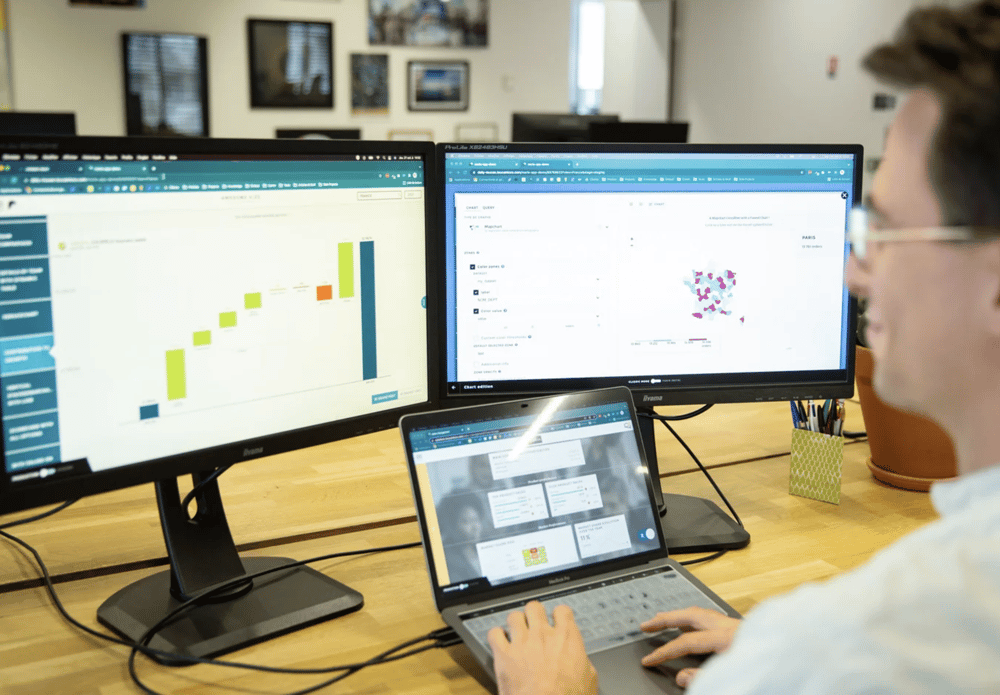
What is customer-facing analytics?
Customer-facing analytics is the practice of delivering data insights directly to your end customers — embedded inside your product, portal, or client interface — so they can monitor performance, explore their data, and make better decisions without leaving your platform.
It is sometimes called external analytics, client-facing analytics, or embedded customer analytics. The common thread: the audience is your client, not your internal team.
|
Customer-facing analytics in one sentence: Analytics built for your clients, embedded inside your product, under your brand — so they can see their data and act on it without switching tools. |
Customer-facing analytics typically includes:
- Interactive dashboards scoped to each client's own data
- KPI cards, charts, tables, and trend visualizations relevant to their business
- Filters and drill-downs that let clients explore their data on their own terms
- AI-powered natural language queries (ask a question, get a chart instantly)
- White-label branding — your client sees your product, not a third-party analytics tool
Customer-facing analytics vs internal BI: key differences
Internal BI and customer-facing analytics can look similar on the surface — both involve dashboards and data. But they are designed for fundamentally different audiences, with different requirements.
|
Internal BI |
Customer-Facing Analytics |
|
|
Primary audience |
Internal analysts, managers, executives |
Your external clients and their teams |
|
Data scope |
Aggregate company data — all clients combined |
Each client sees only their own data (multi-tenant) |
|
Technical users |
BI analysts, data engineers, power users |
Non-technical business users — operators, directors, managers |
|
Branding |
Internal tool — vendor branding acceptable |
White-label — must look like your product |
|
Access model |
Internal login, VPN, or company SSO |
Embedded in your SaaS product — seamless SSO |
|
Self-service depth |
High — complex exploration, ad-hoc queries |
Curated + AI-assisted — guardrails protect data integrity |
|
Primary goal |
Inform strategic company decisions |
Help clients act on their own data, improve retention |
|
Update frequency |
As needed by analysts |
Continuous — must reflect real-time or near-real-time data |
The most critical difference is multi-tenancy: in customer-facing analytics, your database may contain data from hundreds of clients, but each client must only see rows belonging to their organization. This requires row-level security built into the architecture — not an afterthought.
→ See also: Embedded Analytics vs Traditional BI: Complete Comparison
Why SaaS companies and ISVs adopt customer-facing analytics
Clients who use your analytics renew — and expand
This is the most important business case, and the one most SaaS leaders underweight. Clients who regularly access analytics inside your product have a fundamentally different relationship with it — they see the value it delivers, quantified, in their own terms. They do not churn because they cannot imagine leaving without losing that visibility. And when you launch a premium analytics tier, they are already sold.
Analytics reduces client-side data fragmentation
Without analytics in your product, your clients pull data out via CSV exports, paste it into spreadsheets, apply their own formulas, and build their own views. The result: every client has a different interpretation of their own data. Support tickets multiply. QBRs become debates about numbers rather than conversations about strategy. Customer-facing analytics replaces this fragmentation with a single, consistent view.
It shortens your sales cycle
When a prospect opens your product and sees real-time analytics showing what's working and what isn't — before buying — the sale is easier to close. Analytics answers the ROI question during the evaluation, not after. For SaaS companies selling to data-literate buyers (CFOs, COOs, operations directors), the presence or absence of analytics inside the product is often the deciding factor.
It creates a premium revenue tier
Spotify Wrapped, Strava's premium training analytics, Atlassian Analytics — these are not free features. They are premium tiers monetized on the value they deliver. For SaaS companies, bundling advanced analytics into a higher plan tier is one of the most reliable paths to expanding average contract value without adding headcount.
It differentiates you from competitors who have not shipped analytics yet
Most SaaS products in established categories are reaching feature parity on core functionality. Analytics is one of the clearest remaining differentiation opportunities — and the window is narrowing. Companies that ship embedded analytics now build a moat; companies that wait find themselves responding to RFP requirements they cannot meet.
Real-world examples of customer-facing analytics
Spotify Wrapped — turning data into a viral engagement mechanism
Spotify's annual Wrapped campaign is the most widely cited example of customer-facing analytics done right. Every year, Spotify surfaces each user's listening data — top artists, total minutes, genre breakdown — in a visually polished, shareable format. It creates a social media moment that reaches non-users and drives app downloads. The analytics is the product.
Shopify — analytics as core product value for merchants
Shopify embeds detailed analytics directly into every merchant's dashboard: revenue trends, conversion rates, customer lifetime value, product performance, geographic breakdown. A merchant running their store on Shopify does not need a separate BI tool — the data they need to run their business is surfaced inside the product. This is textbook customer-facing analytics in a B2B SaaS context.
Atlassian Analytics — a premium add-on built on customer data
Atlassian Analytics gives teams cross-product visibility into how work moves through Jira, Confluence, and other Atlassian tools. It is not free — it is positioned as a premium capability for teams who need to report to leadership on engineering velocity, project health, and team performance. Analytics became a revenue line, not just a feature.
Salesforce — analytics as the upsell engine
Salesforce has built Einstein Analytics (now Tableau CRM) as a distinct premium product sitting on top of its CRM platform. Every Salesforce customer generates data. Salesforce sells the analytics layer that makes that data actionable. The embedded nature of it — the data is already there, the context is already established — is what makes the upsell so natural.
The pattern across all examples
Every successful customer-facing analytics implementation shares the same three characteristics: the data is already in the product (reducing integration friction), the analytics is white-labeled or fully native to the product experience, and it delivers specific value to the client's role — not generic BI exploration.
6 essential features of a customer-facing analytics platform
Native multi-tenancy and row-level security
This is the non-negotiable foundation. Your platform must enforce data isolation at the query level — each client user only retrieves rows belonging to their organization, automatically, based on their authenticated identity. This cannot be a post-deployment workaround. It must be native to the architecture.
White-label embedding
Your clients should never see a third-party analytics vendor's logo, color scheme, or navigation pattern. Full white label means: your logo on the login page, your colors throughout the UI, your domain in the URL bar, and zero vendor branding anywhere. The analytics module should feel like it was built by your engineering team.
No-code dashboard builder
Your product or customer success team needs to create, update, and iterate dashboards without writing code. This means a drag-and-drop builder with chart types, filter controls, KPI cards, and layout options that non-technical team members can operate independently. If every dashboard update requires a developer sprint, your analytics will fall behind client needs.
SSO and seamless authentication
When a client logs into your product, they should access analytics instantly — no separate login, no re-authentication, no second session. JWT, SAML, or OIDC integration with your existing identity system is required. The moment analytics requires a separate login, the experience breaks and adoption drops.
Curated self-service for end users
The best customer-facing analytics gives clients the ability to explore their data — adjusting filters, drilling into dimensions, comparing time periods — without the complexity of full BI self-service. This curated model is the sweet spot: clients get agency over their view without risking data integrity or overwhelming non-technical users with query builders.
Real-time or near-real-time data refresh
Clients making operational decisions — staffing, inventory, campaign adjustments — need data that reflects what is happening now, not last week. Your platform must support live data connections or frequent refresh schedules. Stale data is worse than no data: it creates false confidence and erodes trust.
AI-powered customer-facing analytics: what changes with Toucan.ai
Until recently, customer-facing analytics meant pre-built dashboards: your team defines the charts, clients consume them. That model works — but it has a ceiling. Clients who want to answer questions outside the pre-built views have nowhere to go.
AI changes this fundamentally. Toucan.ai, Toucan's embedded AI analytics layer, lets end users ask business questions in plain language and instantly receive relevant charts, KPIs, and analysis — without SQL, without training, without leaving your product.
How Toucan.ai works inside your product
A client opens the analytics section of your product. Instead of navigating pre-built dashboards, they type: 'Which regions drove the most revenue growth last quarter?' Toucan.ai interprets the question against your semantic layer — the metric definitions and data structure you've configured — and returns a chart with the answer in seconds.
Three levels of AI interaction
- Level 1 — Instant answer: User asks a question, receives a chart or KPI on the spot. No saving, no customization. Just the answer.
- Level 2 — Pin to dashboard: Same as Level 1, plus the ability to save the result to a personal or shared dashboard for ongoing monitoring.
- Level 3 — AI-generated dashboard + manual refinement: User prompts the AI to build a complete dashboard from a topic ('Show me my sales performance by product'). AI drafts the layout. User then adjusts chart types, rearranges tiles, adds filters.
What this means for your product
Pre-built dashboards answer the questions you anticipated. Toucan.ai answers the questions you didn't. Together, they cover the full range of client analytics needs — without requiring your team to build every view in advance or your clients to learn a query language.
|
AI + embedded analytics: The combination of curated dashboards for structured use cases and AI-powered natural language queries for ad-hoc exploration is the emerging standard for best-in-class customer-facing analytics in 2026. |
→ See also: What Is Embedded Analytics? Definition, Examples and Benefits
Use cases by industry
Fintech and payments
Payment platforms surface transaction analytics to merchants: volume trends, authorization rates, chargeback analysis, geographic breakdown. Merchants use this data to optimize payment flows and dispute resolution. Analytics is a core retention driver — merchants who monitor their payment performance switch processors less frequently.
HR tech and employee engagement
HR platforms deliver analytics to their corporate clients: headcount trends, attrition drivers, engagement scores, diversity metrics. HR directors and CHROs review these dashboards in quarterly business reviews. The platform that surfaces the most actionable workforce insights is the one that wins renewals.
Logistics and field services
Logistics SaaS platforms embed operational analytics for their clients: on-time delivery rates, SLA compliance, route efficiency, asset utilization. Operations managers monitor these KPIs daily. When the analytics is inside the platform — not a separate report sent by email — it becomes the operational tool of record.
Healthcare and wellness
Healthcare SaaS platforms deliver population health analytics to hospital administrators, practice managers, and corporate wellness clients: patient outcomes by cohort, utilization rates, program effectiveness. The sensitivity of healthcare data makes white-label, on-premise or private-cloud deployment especially important.
Marketing and digital agencies
Marketing platforms and agencies embed campaign analytics for clients: reach, conversion, attribution, ROI by channel. Clients who can see the performance of their spend inside the platform — rather than in emailed PDFs — ask fewer support questions and are more likely to increase their investment.
Real estate and property management
Property management platforms deliver occupancy analytics, lease performance, maintenance KPIs, and revenue trends to property owners and managers. Owners who monitor their portfolio in real time through the platform are far more engaged than those who receive monthly reports.
How to implement customer-facing analytics: 4-phase roadmap
Phase 1 — Define what your clients need to see (Week 1–2)
Before selecting a platform or building anything, interview 5–10 clients. Ask: what data questions do you try to answer about your use of our product? What do you currently export to spreadsheets? What would you check daily if it were easy to access? This surfaces the 3–5 dashboards that will drive 80% of the value. Do not start with the data you have — start with the decisions your clients need to make.
Phase 2 — Select your platform and connect your data (Week 2–4)
Choose a customer-facing analytics platform based on your multi-tenant architecture, tech stack, and team's technical profile. Connect your primary data source (PostgreSQL, Snowflake, your application database). Configure row-level security so each tenant sees only their data. Validate isolation with test accounts before proceeding.
Phase 3 — Build, brand, and integrate (Week 4–8)
Apply your brand theme (logo, colors, typography). Configure custom domain. Connect SSO so clients access analytics via your existing login. Build your first 3–5 dashboards using the no-code builder. If your platform includes AI, configure the semantic layer — define metric names, units, and relationships that the AI uses to interpret natural language queries. Test with internal users before client-facing launch.
Phase 4 — Pilot, measure, expand (Month 2–3)
Launch with a pilot group of 5–10 clients. Track: dashboard views per user per week, questions asked via AI (if applicable), NPS delta between analytics users and non-users. Use this data to prioritize the next set of dashboards. Most ISVs reach full client rollout within 8–12 weeks of starting.
→ See also: Embedded Analytics Architecture: Components and Best Practices | How to Calculate ROI for Embedded Analytics
Build vs buy: the honest comparison
Every SaaS company faces this question at some point. The instinct to build is understandable — full control, no vendor dependency, tailor-made to your product. But the economics and the timeline rarely support it.
|
Build in-house |
Buy a platform (e.g. Toucan) |
|
|
Time to first client dashboard |
8–18 months |
4–8 weeks |
|
Engineering cost (Year 1) |
$180K–$310K |
$20K–$60K (integration) |
|
3-year total cost |
$370K–$630K |
$150K–$360K (license + integration) |
|
Multi-tenancy |
Custom engineering |
Native — built in |
|
AI / NL queries |
Major R&D effort |
Included (Toucan.ai) |
|
White label |
Full control |
Full control — configurable |
|
Ongoing maintenance |
Your team owns it |
Vendor handles infra & updates |
|
Feature velocity |
Limited by roadmap |
Vendor ships continuously |
The case for building is strongest when your analytics requirements are genuinely unique — a proprietary data model, a novel visualization type, a real-time streaming requirement that no platform supports. For the vast majority of SaaS use cases, these conditions don't apply. A purpose-built platform delivers the same output in a fraction of the time and cost.
→ See also: Embedded Analytics: Build vs Buy — Complete Decision Guide
|
Related articles → What Is Embedded Analytics? Definition, Examples and Benefits → Embedded Analytics vs Traditional BI: Complete Comparison → Embedded Analytics: Build vs Buy — Complete Decision Guide → White Label Analytics: Complete Guide → White Label Reporting: Complete Guide for ISVs & SaaS → Best Embedded Analytics Tools 2026 → Customer-Facing Analytics for SaaS Companies [LIEN À ACTIVER — /en/blog/customer-facing-analytics-for-saas] → Customer-Facing Analytics vs Internal Analytics [LIEN À ACTIVER — /en/blog/customer-facing-analytics-vs-internal-analytics] |
FAQ — Customer-facing analytics
What is the difference between customer-facing analytics and embedded analytics?
Embedded analytics is the broader term: it describes integrating any analytics capability inside another application. Customer-facing analytics is a specific use case of embedded analytics where the audience is your external clients — not your internal team. All customer-facing analytics is embedded; not all embedded analytics is customer-facing (some embedded deployments are for internal users).
What types of companies use customer-facing analytics?
Any SaaS company or ISV that has clients who want to understand their own data. This includes fintech platforms, HR tech, logistics SaaS, healthcare platforms, marketing tools, property management software, field service management — essentially any B2B product where the client's data lives inside the platform and the client has a need to monitor or report on it.
How does customer-facing analytics handle data security for multiple clients?
Through multi-tenant data isolation: each client user is authenticated with a token that includes their tenant ID, which is injected as a filter into every query. Even if all client data lives in the same database, users never see data outside their organization. This must be native to the analytics platform architecture — purpose-built platforms like Toucan handle this automatically.
How long does it take to launch customer-facing analytics?
With a purpose-built platform: 4–8 weeks from start to first client-facing deployment. This includes data connection, SSO integration, white-label branding, and initial dashboard build. Building the equivalent capability from scratch typically takes 8–18 months.
Can I use AI in customer-facing analytics?
Yes — and this is where the market is heading. Platforms like Toucan embed an AI layer (Toucan.ai) that lets your clients ask business questions in natural language and receive relevant charts and KPIs instantly. This extends the value of pre-built dashboards with ad-hoc exploration, without requiring your clients to learn SQL or your team to anticipate every possible question.
How do I measure the ROI of customer-facing analytics?
Track three metrics: churn rate differential (clients who actively use analytics vs those who don't), upsell rate to premium analytics tiers, and support ticket volume for data-related requests (which drops significantly when clients can self-serve). Most SaaS companies that deploy customer-facing analytics report measurable improvement in retention within 6 months.
Is customer-facing analytics suitable for small SaaS companies?
Yes. The entry cost for purpose-built platforms has dropped significantly. A SaaS company with 20–50 clients can launch customer-facing analytics for $2,000–$4,000/month in platform costs, with one-time integration investment of $20,000–$40,000. The ROI becomes positive quickly when analytics reduces churn by even a fraction of a percentage point.
Conclusion
Customer-facing analytics has moved from a differentiator to an expectation. Your clients are used to seeing their data in the products they use — and if your product doesn't show it, they go looking elsewhere, often in a competitor's platform.
The good news is that the barrier to deployment has never been lower. Purpose-built platforms handle the infrastructure complexity — multi-tenancy, white label, SSO, AI — so your team can focus on designing the analytics experience your clients actually need.
Start with the decisions your clients make. Build the dashboards that inform those decisions. Add AI for the questions you didn't anticipate. Measure adoption and retention impact. Iterate.
The companies that do this well don't just improve their product. They make their clients better at their jobs — and that is the most durable competitive advantage available.